DJI Mavic 3 Pro – 6 Ways to Improve Your Video Quality & Shots
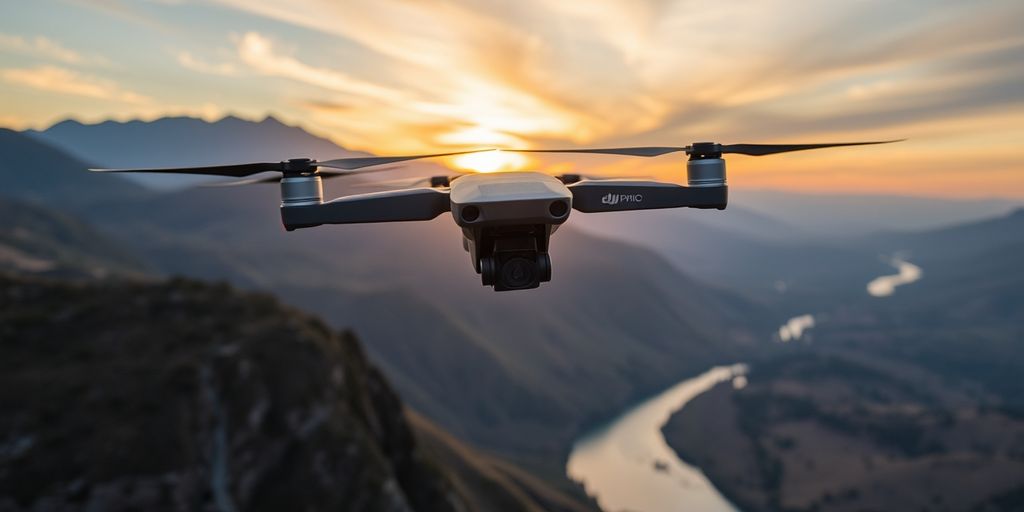
DJI Mavic 3 Pro – 6 Ways to Improve Your Video Quality & Shots. The DJI Mavic 3 Pro is a powerful drone that can elevate your videography. Whether you’re a seasoned professional or a hobbyist, understanding how to maximize its capabilities can significantly enhance your footage. Here are six essential tips to help you get the most out of your Mavic 3 Pro.
Key Takeaways
- Maximize Dynamic Range: Use the proper exposure techniques.
- Utilize Filters: Enhance your shots with graduated filters.
- Optimize Sharpness: Adjust your aperture for the best clarity.
- Explore Zoom Options: Utilize the Zoom lenses for unique perspectives.
- Use as a Gimbal: Capture smooth shots without additional equipment.
- Understand Sensor Limitations: Learn how to effectively manage bottom sensors in challenging conditions.
1. Maximize Dynamic Range
Exposing your DJI Mavic 3 Pro correctly is crucial for capturing the most dynamic range. This means adjusting your exposure settings to ensure the histogram is pushed to the right without clipping highlights.
- Turn off View Assist: When this feature is on, it can mislead you about your exposure. Turning it off produces a more accurate histogram, allowing you to expose brighter and capture more detail in shadows.
2. Utilize Filters
A graduated ND filter can significantly enhance your shots, especially during sunrises or sunsets. This filter allows you to balance exposure between bright skies and darker landscapes.
- Investment: A good set of filters under $50 is available, making them a worthwhile addition to your gear.
3. Optimize Sharpness
The Mavic 3 Pro allows you to adjust the aperture, which directly affects sharpness. For optimal clarity, aim for an aperture setting between f/4 and f/8.
- Avoid Extremes: Avoid f/2.8 and f/11, as these settings can reduce Sharpness.
- Capture stunning drone photography
4. Explore Zoom Options
The Mavic 3 Pro features both 3x and 7x zoom lenses. Experimenting with these can yield stunning results, especially when capturing distant subjects.
- Parallax Effect: When flying sideways or circling a subject, the zoom compression can create a visually appealing parallax effect.
5. Use as a Gimbal
The Mavic 3 Pro can serve as a gimbal, enabling you to capture smooth, cinematic shots without additional equipment.
- Versatile Focal Lengths: Shooting at 24mm and 70mm lets you achieve a range of looks without carrying extra gear.
6. Understand Sensor Limitations
The Mavic 3 Pro’s bottom sensors can interfere with landing when flying in foggy conditions. To mitigate this, consider temporarily disabling the sensors by taping them off.
- Safety First: Always maintain visual control of the drone and ensure a safe altitude to avoid crashes.
Implementing these tips can significantly enhance the quality of your footage and maximize the potential of your DJI Mavic 3 Pro. Happy flying!
Explore the world of drone photography.
Popular Posts
April 03, 2026
February 11, 2026

February 11, 2026
January 23, 2026

January 22, 2026
November 14, 2025
Comments are closed.